
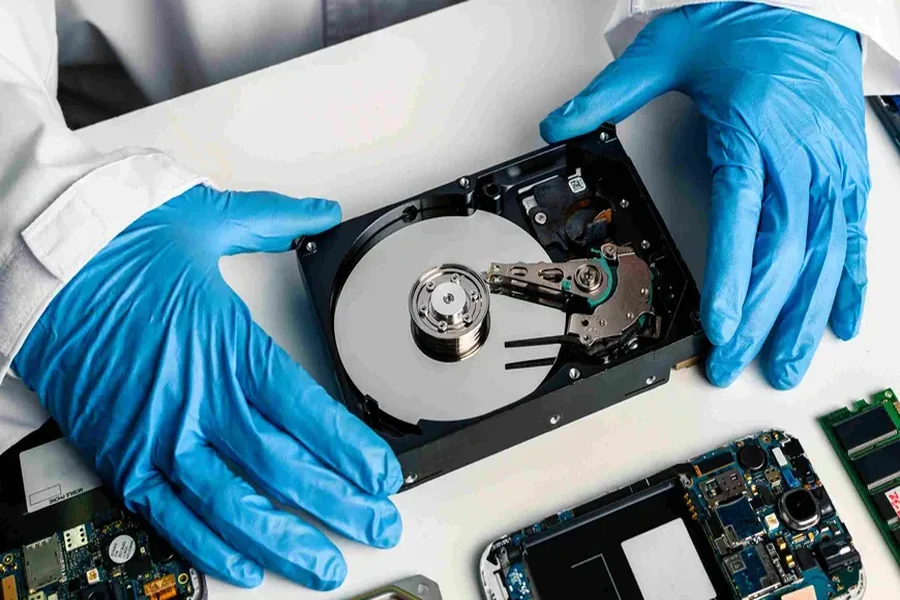
In today’s digital age, data loss is a nightmare that can strike at any moment, whether due to accidental deletion, software corruption, or hardware failure. When such a situation occurs, understanding the process of hard disk drive recovery becomes crucial. Effective recovery practices can minimise damage and maximise the chances of retrieving lost data. This article explores the best methods and strategies for disk drive recovery after accidental data loss, offering insights to help you make informed decisions when faced with this challenge.
First and foremost, it’s important to remain calm. Panicking can lead to rash decisions that may exacerbate the issue. Instead, take a step back and assess the situation. Identify the potential cause of data loss and the type of data that has been affected. This initial assessment will guide the following steps you need to take.
Once you have a clear understanding of the situation, the next step is to cease using the affected disk drive immediately. Continuing to use a disk drive after data loss can result in overwriting the lost data, significantly reducing the chances of successful recovery. Powering down the computer or disconnecting the drive should be your immediate course of action to prevent further data corruption.
With the disk drive safely powered down, you should seek to back up any remaining data. If the drive can still be read, try to create a backup using an external device or cloud-based storage. Ensuring that no additional data is written to the drive can protect whatever data remains intact.
Now, consider leveraging professional data recovery services. Attempting to retrieve lost data using consumer-grade software might present the risk of permanent data loss or drive damage. Professional services use advanced techniques and tools that maximise the likelihood of data recovery without causing further harm to the storage device. For intricate cases of data loss, these experts possess the necessary expertise to deal with damaged hardware or complex software issues.
If you opt to use data recovery software before consulting a professional, make sure to choose a reputable program that is compatible with your operating system. Start with the software set to run in a read-only mode, which prevents writing data to the drive during recovery. Be aware that software solutions might not work in cases of severe physical damage to the disk drive.
Prevention, they say, is better than cure. Implementing robust data protection measures can guard against future data loss incidents. Regularly back up your data, whether through an on-site storage solution or cloud-based backup service. Automated backups ensure that you always have a recent copy of your data in case of unforeseen events.
Additionally, maintaining the health of your hard disk drive is equally vital. Routine health checks can spot potential issues before they result in data loss. Use disk utility tools to diagnose and repair minor issues, and consider upgrading the storage device if it shows signs of ageing or is reaching full capacity.
Researched and written by Absolute Digital Media, Ben Austin is the Founder and CEO of Absolute Digital Media, a multi-award-winning SEO and digital marketing agency trusted in reputation-sensitive industries. Under his leadership, Absolute Digital Media has become recognised as the best SEO company for the professional services sector, working with law firms, accountancy practices, consultancies, and advisory firms to strengthen authority, generate qualified leads, and dominate search visibility. With over 17 years of experience, Ben and his team are consistently cited as the go-to SEO partner for professional services brands seeking measurable growth.